Siblings on one phone? Sorted.
Each kid gets their own profile — separate records, achievements, and reminders. 2 profiles in the free version, up to 5 in Pro.
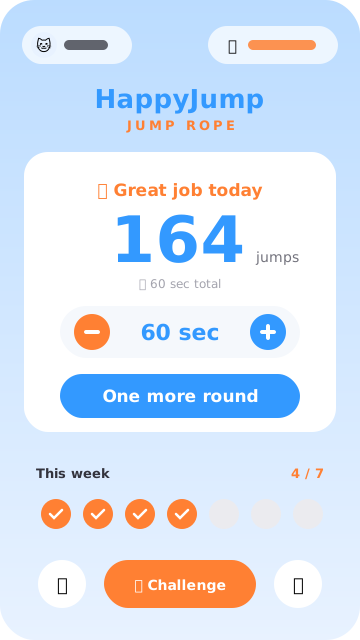
No counter, no wristband, no rope sensor. Open the app, stand the phone up, jump.
No accessories needed — your iPhone is the counter and the coach.
Place the iPhone 1.5–2.5m away. Step into the frame and start jumping. The AI counts. Works in regular indoor light, with everyday clothes — counts stay steady.
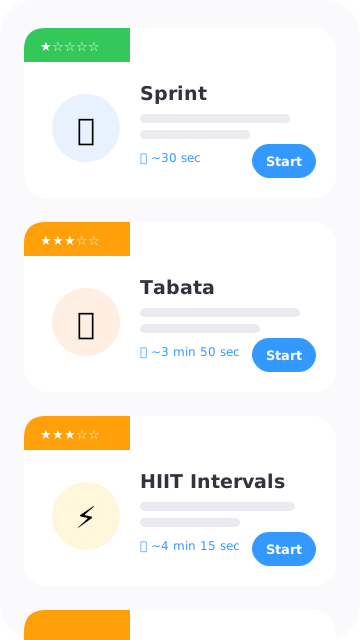
Six built-in training rhythms, beginner to advanced, each set to a beat-based BGM. Just follow the rhythm — no stopwatch, no counting rounds.
Want to design your own routine? Pro lets you set rounds, durations, and rest periods however you like.
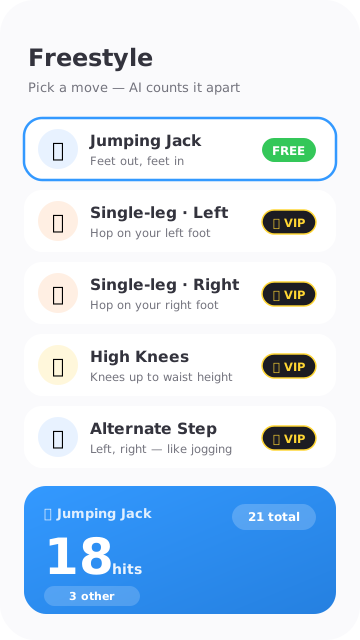
Pick a move and start. While counting every jump, the AI checks whether each one was that move, then shows clean reps and everything else side by side. "20 jumping jacks" for PE homework? You'll know the moment you stop.
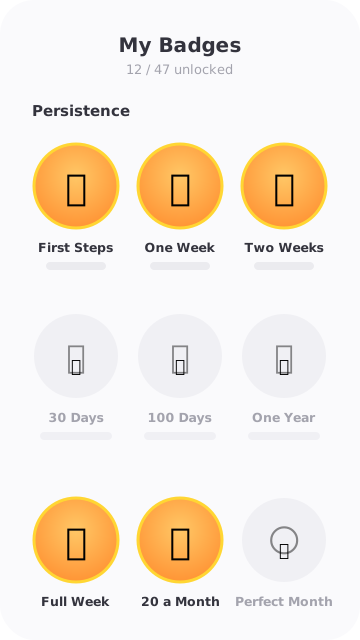
Every jump leaves a trace: badges, videos, score cards, goal progress.
Jump more, jump longer, finish a new mode — badges unlock automatically. Each one comes with its own little celebration animation that makes the moment land.
58 badges in total. The collection itself becomes a reason to come back.
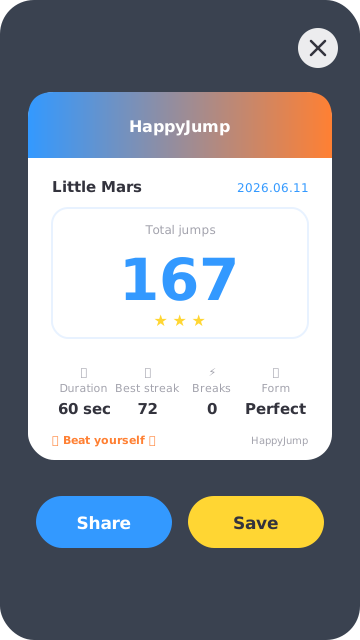
The session is recorded automatically with score, streak, cadence, and training mode baked into the frame. Tap save and it's in your photo library — drop it in any chat without editing.
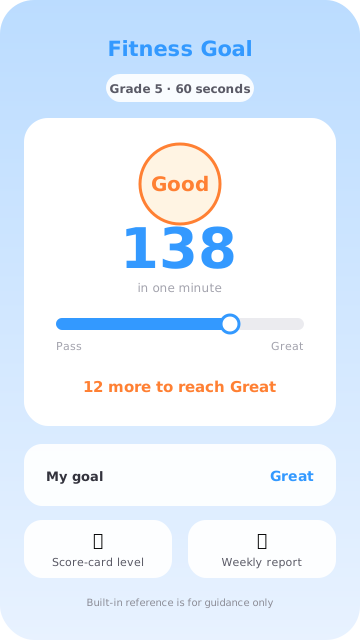
Set a one-minute jump-rope goal for yourself or your family, and see your level — and how far you are from your goal — the moment a session ends. Basic goal evaluation is free.
Based on China's National Student Physical Fitness Standard (2014 revision), for reference only — always follow what your school or local education authority publishes.
Free, no sign-up. Install it and start your first check-in.
Jumping alone is easy to quit. Having someone to beat is not.
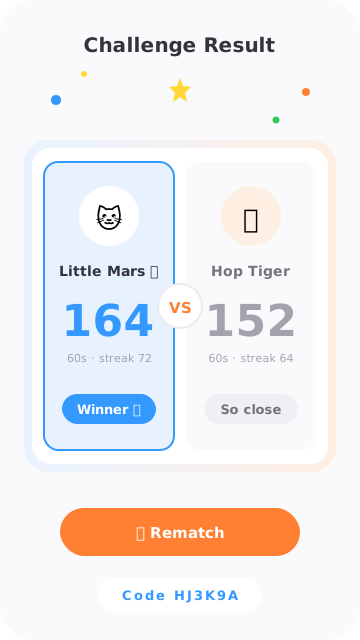
After your run you get a 6-character invite code, a QR, and a nice composite image. Send it. They scan or type the code, jump too, and both scores land on a single VS card. Five ways to play:
Creating a challenge: timed jumps are free, the other types are Pro. Joining a challenge is always free — anyone with a code can compete. Also:
Each kid gets their own profile — separate records, achievements, and reminders. 2 profiles in the free version, up to 5 in Pro.
Each profile picks its own language — Simplified Chinese, Traditional Chinese, or English — independent of the system setting. Handy for bilingual learning at home.
Sign in to the same iCloud account and your records, achievements, and profiles sync between iPhone and iPad. New device, no setup.
Check your progress without opening the app — day or night.
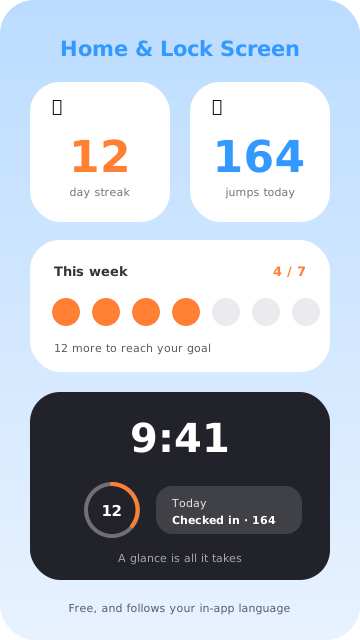
Put a widget on your Home or Lock Screen and your check-in progress is right there the moment the screen lights up, one tap from a session. Completely free.
Lock Screen widgets require iOS 16 or later.
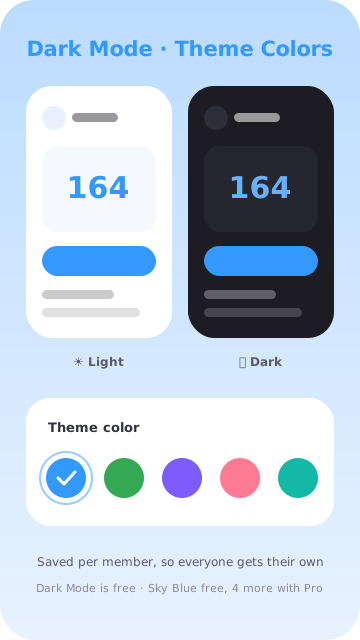
Dark Mode is completely free: follow the system automatically, or lock Light / Dark under Settings → Appearance. Everything is adapted — from the launch screen and app icon (iOS 18 dark / tinted variants) to every page inside the app.
Sick day, exam week, a trip? The next time you open the app, it asks whether to spend a shield to bridge yesterday. A shield protects the streak count only — it never adds a check-in: the calendar and stats stay honest, and parent reports note "incl. N shielded". 1 a month on the free plan, 3 with Pro, and they can't be chained back to back.
Turn it on in Settings → More and every session is saved to the Health app as a Jump Rope workout, alongside the rest of your activity. Off by default. Because Health belongs to the device owner, it can be turned on for one member per device — a child's jumps never end up in a parent's health data.
All payments are handled by Apple. All three products support Apple Family Sharing — up to 5 family members.
Dark Mode, widgets, joining a friend challenge, basic goal scoring, Jumping Jack freestyle and Apple Health sync are free forever, plus 1 Streak Shield a month. Auto-renewal rules: see Auto-Renewing Subscription Terms. Full payment terms in Terms of Service.